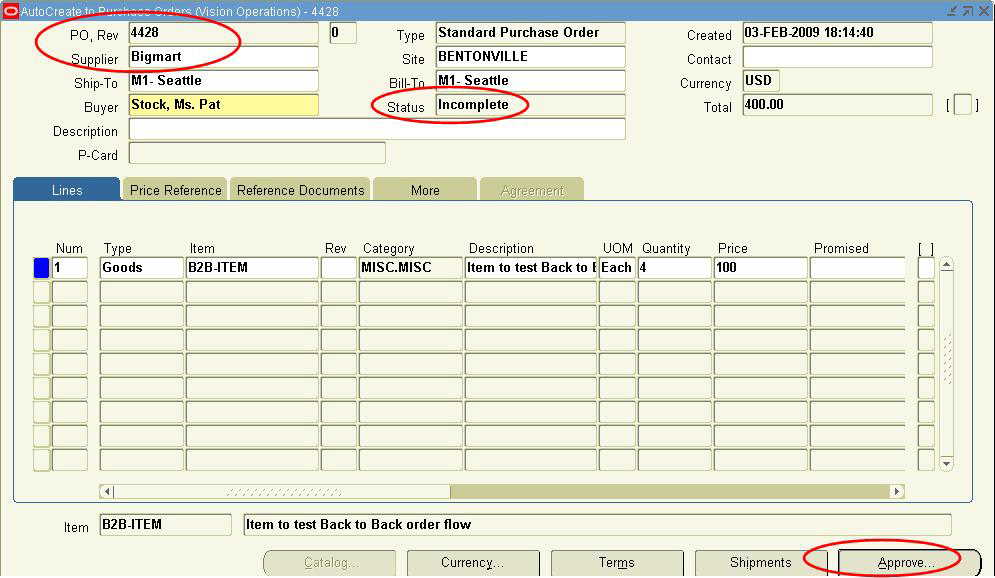
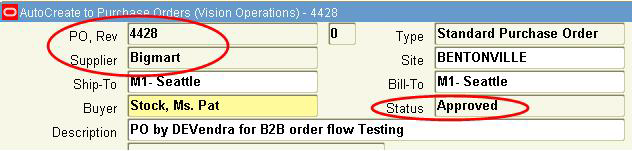
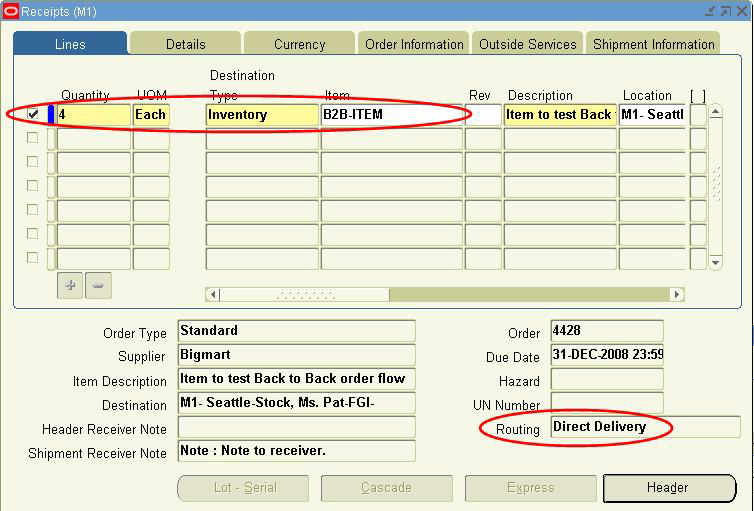
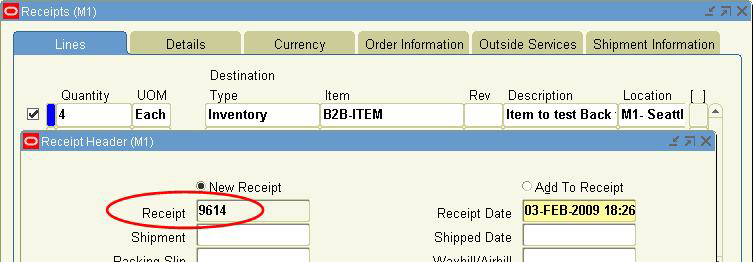
PURCHASE ORDER
What are the main tables associated with Purchase Order?
There are four main tables associated with Purchase Order.
1. PO_HEADERS_ALL
2. PO_LINES_ALL
3. PO_LINE_LOCATIONS_ALL
4. PO_DISTRIBUTIONS_ALL
1. It contains the Header information for the Purchasing documents. We require one row for each document we create.
Six types of documents that use PO_HEADERS_ALL are
a. RFQ
b. Quotation
c. Standard PO
d. Planned PO
e. Blanket PO
f. Contracts
Important data that are populated in this table are
· Buyer Information
· Supplier Information
· Brief Notes
· Terms and Conditions
· Status of the document
PO number is Segment1 of PO_HEADERS_ALL
Important columns: PO_HEADER_ID
2. It stores information about each PO lines. We need one row for each line we attach to a document.
Each row includes
a. LINE NUMBER
b. ITEM NUMBER
c. UNIT
d. PRICE
e. U.O.M
f. QUANTITY
3. It contains the information about PO shipment schedules and Blanket Agreement Price Breaks.
We need one row for each schedule or price break we attach to a document
Each row includes
· Destination Type
· Requestor Id
· Quantity Ordered and Delivered to Destination
Ø If the distribution corresponds to a Blanket PO release, PO_RELEASE_ID column identifies this release
Ø We enter distribution information in distribution window accessible through PO window
CLOSING THE PURCHASE ORDER
The CLOSED_CODE column exists in the following three tables
1. PO_HEADERS_ALL
2. PO_LINES_ALL
3. PO_LINE_LOCATIONS_ALL
IMPORTANT COLUMNS OF PURCHASING TABLES
PO_HEADERS_ALL | PO_LINES_ALL | PO_LINE_LOCATIONS_ALL |
PO_HEADER_ID SEGMENT1 VENDOR_ID VENDOR_SITE_ID SHIP_TO_LOCATION_ID CURRENCY_CODE CLOSED CODE 1. OPEN 2. CLOSED 3. FINALLY CLOSED 4. HOLD 5. FREEZE |
PO_LINE_ID CATEGORY_ID ITEM_ID PO_HEADER_ID QUANTITY CLOSED_CODE 1. OPEN 2. CLOSED |
LINE_LOCATION_ID SHIP_TO_LOCATION_ID PO_HEADER_ID PO_LINE_ID QUANTITY_RECEIVED QUANTITY_ACCEPTED QUANTITY_REJECTED CLOSED_CODE 1. OPEN 2. CLOSED FOR INVOICE 3. CLOSED FOR RECEIVING 4. FINALLY CLOSED |
RECEIVING
What are the different Purchasing modes in Receiving?
There are three modes
1. ONLINE
2. IMMEDIATE
3. BATCH
1. ONLINE: Receipts are processed Online. If there are any errors, they are shown on the FORM itself, and don’t let you IGNORE and PROCEED.
2. IMMEDIATE: Receipts are processed immediately, but no errors are shown. Errors are recorded in REC_TRANSACTION_INTERFACE table.
3. BATCH: Receipts are processed in batch, but no errors are shown. Errors are recorded in REC_TRANSACTION_INTERFACE table.
Note: In all the above two cases, it requires Receiving Transaction Processor to be run periodically.
When you SAVE a Received Data in FORM, which tables are UPDATED?
Ø RCV_SHIPMENT_HEADERS: It contains SUPPLIER shipment header data like Shipment Date, Supplier Name
Ø RCV_TRANSACTIONS_INTERFACE: It contains RECEIVED data like Item Name, Quantity, and Receiving location
Ø RCV_SHIPMENT_LINES
Ø MTL_MATERIAL_TRANSACTIONS_TEMP
Ø PO_LINE_LOCATIONS_ALL
Ø PO_DISTRIBUTIONS_ALL
What are the major transactions in RECEIVING?
Ø Purchase Order Receipts
Ø Internal Requisition Receipts
Ø Inventory Inter-Org Transfer Receipts
Ø Customer Return Receipts
What are the different types of Receiving Routing?
Ø Standard Receipt
Ø Inspection Required
Ø Direct Delivery
Note: The Receipt form is used as Receiving materials against PO on Ordered receipts, Internal Requisitions, Inventory Inter-Org Transport and Customer Reports.
RECEIVING OPEN INTERFACE
Ø ROI is a gateway to IMPORT data from Oracle as well as Non-Oracle applications.
Ø The Receipts done through ROI should be processed in Batch mode only.
Ø In ROI, the table which are updated are
1. RCV_HEADER_INTERFACE
2. RCV_TRANSACTION_INTERFACE
Note: Transactions in ROI
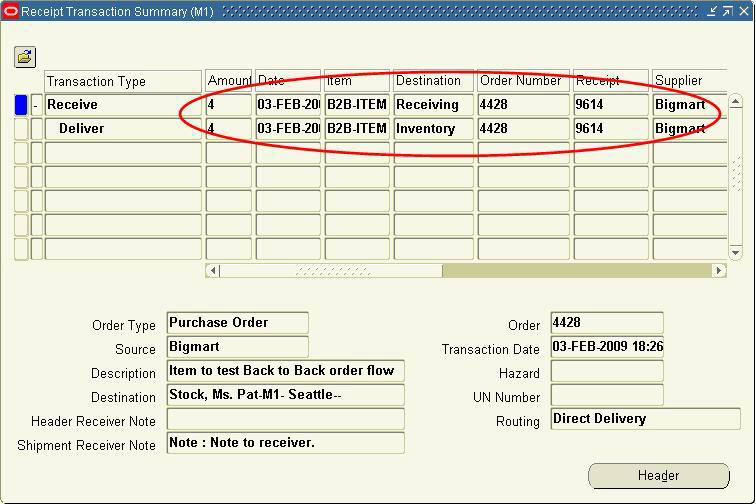
Receipts can be done by Direct Delivery or by two steps namely RECEIVED and DELIVER.
This can be determined through AUTO_TRANSACT_CODE_FLAG.
If the value is DELIVERED, the system does a direct delivery into Sub-Inventory and if the value is RECEIVED, the system only receives the material and the delivery is done by the Receiving Transaction Form.
IMPORTANT COLUMNS OF RECEIVING TABLES
RCV_HEADERS_INTERFACE | RCV_TRANSACTIONS_INTERFACE | RCV_SHIPMENT_HEADERS |
Ø HEADER_INTERFACE_ID Ø GROUP_ID Ø RECEIPT_SOURCE_CODE Ø PROCESSING_STATUS_CODE Ø TRANSACTION_TYPE Ø ASN_TYPE | Ø INTERFACE_TRANSACTION_ID Ø GROUP_ID Ø PROCESSING_STATUS_CODE Ø TRANSACTION_STATUS_CODE Ø PROCESSING_MODE_CODE Ø HEADER-INTERFACE_ID | Ø ASN_STATUS Ø ASN_TYPE Ø EDI_CONTROL_NUM |
NON-SUPPORTED FEATURES OF ROI
Ø Transactions with LOT controls
Ø Transactions with SERIAL controls
Ø Internal Transfer & Sales order
Ø Un-Ordered Receipts
Through which you will be able to see ERROR reports in ROI?
Receiving Interface Errors Report
Data can be loaded into ROI either through flat files or direct SELECT statement. You can see details of errors from PO_INTERFACE_ERRORS table by joining with RCV_TRANSACTIONS_INTERFACE table using Interface_id.
What do you mean by PO requisition?
Ø PO requisition is a request to purchase materials for individual requirements. Normally Purchase requisitions are raised by employees or departments.
Ø Requisitions need approvals. It can be manually created or imported from other system like Inventory, WIP, MRP, OM etc
TABLES USED WITH REQUISITIONS
PO_REQUISITIONS_HEADERS_ALL
PO_REQUISITIONS_LINES_ALL
PO_REQ_DISTRIBUTIONS_ALL
The description is the same as PO
OTHER IMPORTANT TABLES USED WITH REQUISITIONS
Ø PO_VENDORS
Ø PO_LOOKUP_CODES
Ø PO_VENDOR_SITES_ALL
Ø PO_AGENTS
Ø PO_DOCUMENT_TYPES_ALL_B
Ø PO_RESCHEDULE_INTERFACE
Ø MTL_SUPPLY
IMPORTANT FIELDS OF REQUISITION
Ø REQUISITION_TYPE
Ø PREPARE
Ø TOTAL_CURRENCY
Ø LINE_TYPE
Ø CATEGORY
Ø SOURCE DESTINATION TYPE AND ORGANIZATION
ACTIONS PERFORMED WITH REQUISITION
Ø SAVE
Ø APPROVE
If you SAVE requisition, the above three tables are populated, while if you APPROVE a requisition, major tables updated are
Ø PO_REQUISITION_HEADER
Ø PO_APPROVAL_LIST_HEADERS
Ø PO_DOCUMENT_TYPES
CLOSING STATUS OF REQUISITION
Ø CANCEL
Ø FINALLY CLOSED
What do you mean by Auto Create?
Auto Create is a standard functionality provided by Oracle to create PO directly from Requisitions.
REQUISITIONS IMPORT PROGRAM (RIP)
Ø It is a concurrent program, which is used to import requisition from Oracle or Non-Oracle system.
Ø Data is first loaded in PO_REQUISITION_ALL table. The RIP can then be run, to import the records from the interface table as requisition in Oracle Processing.
Ø RIP creates a requisition line and one or more requisition distribution for each row it finds in the interface table. It then groups these lines on Requisitions according to parameters defined.
IMPORTANT TABLES
Ø PO_REQUISITION_INTERFACE_ALL
Ø PO_REQ_DIST_INTERFACE_ALL
Ø PO_INTERFACE_ERRORS
IMPORTANT PARAMETERS OF REQUISITION IMPORT PROCESS
a. Import Source
b. Import Batch Id
c. Group By
d. Initiate Approval after Import
REPORTS ASSOCIATED WITH REQUISITIONS IMPORT PROCESS
a. REQUISITION IMPORT RUN REPORT
We are able to view number of requisitions created and number of records in error from this report.
b. REQUISITION IMPORT EXCEPTIONS REPORT
We can see all rows that fail validation from this report
What do we mean by Sourcing Rule?
Ø It defines Inventory Replenishment method for either a Single Organization or for all Organizations.
Ø Sourcing rule is used to specify preferred Suppliers, Distributors and manufacturers.
Ø Use allocation percentage and ranking for multiple sources.
INTERNAL REQUISITIONS
Ø It is used to obtain materials within the same Organization or different Organization but within the same set of books.